Your courts, booked online. Paid straight to your GCash.
A booking page players can use any time, a schedule that fills itself, and one screen that tells you which payments to check. No calls, no notebook, no cut of your bookings.
Screens show a demo venue with sample bookings.
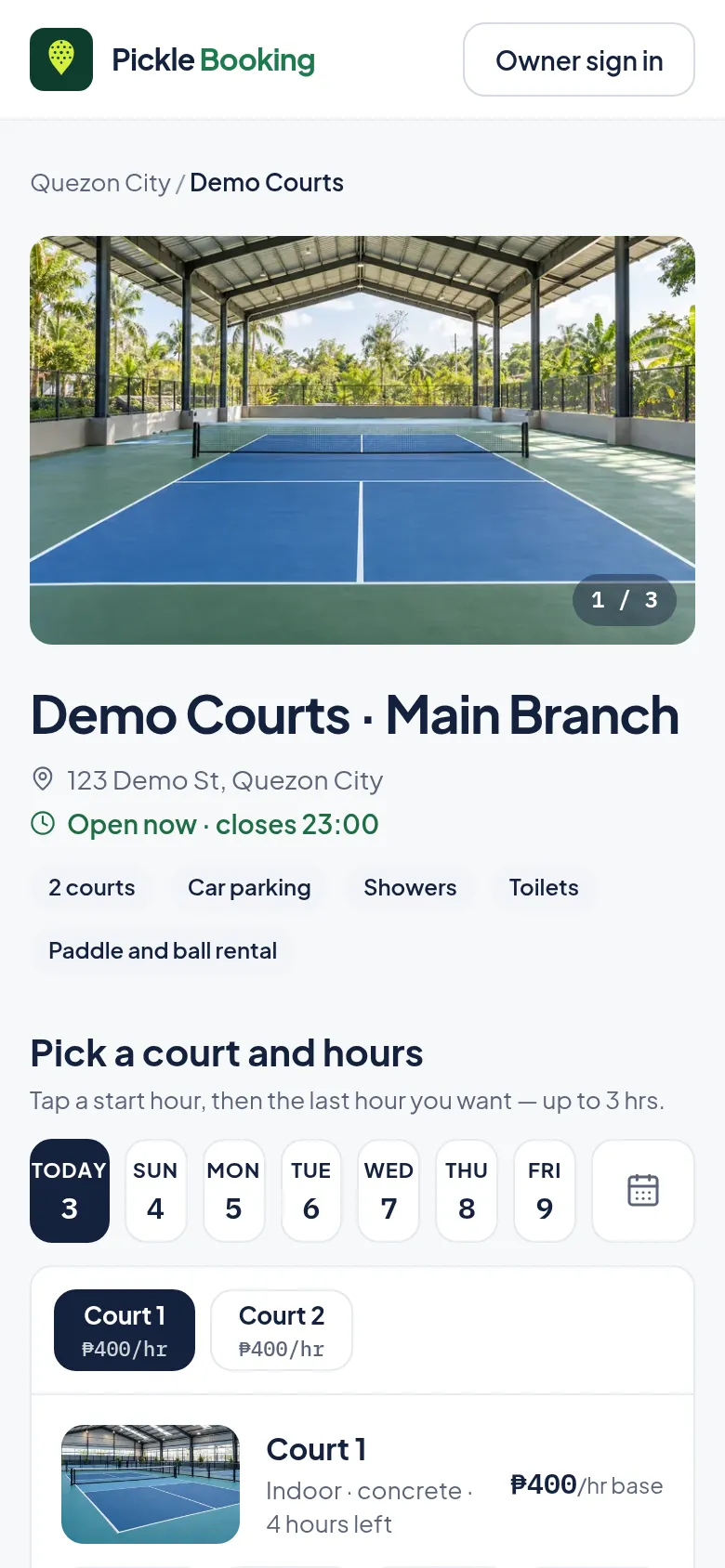
A page players book from, without calling you.
Your photos, courts, prices, amenities and open hours on one page with its own link. Players pick a day, a court and up to 3 hours, then pay you by GCash.
- Shows only the hours still open, live
- Your GCash QR and Messenger link, right on the page
- Players get an email confirmation and a link to check or cancel
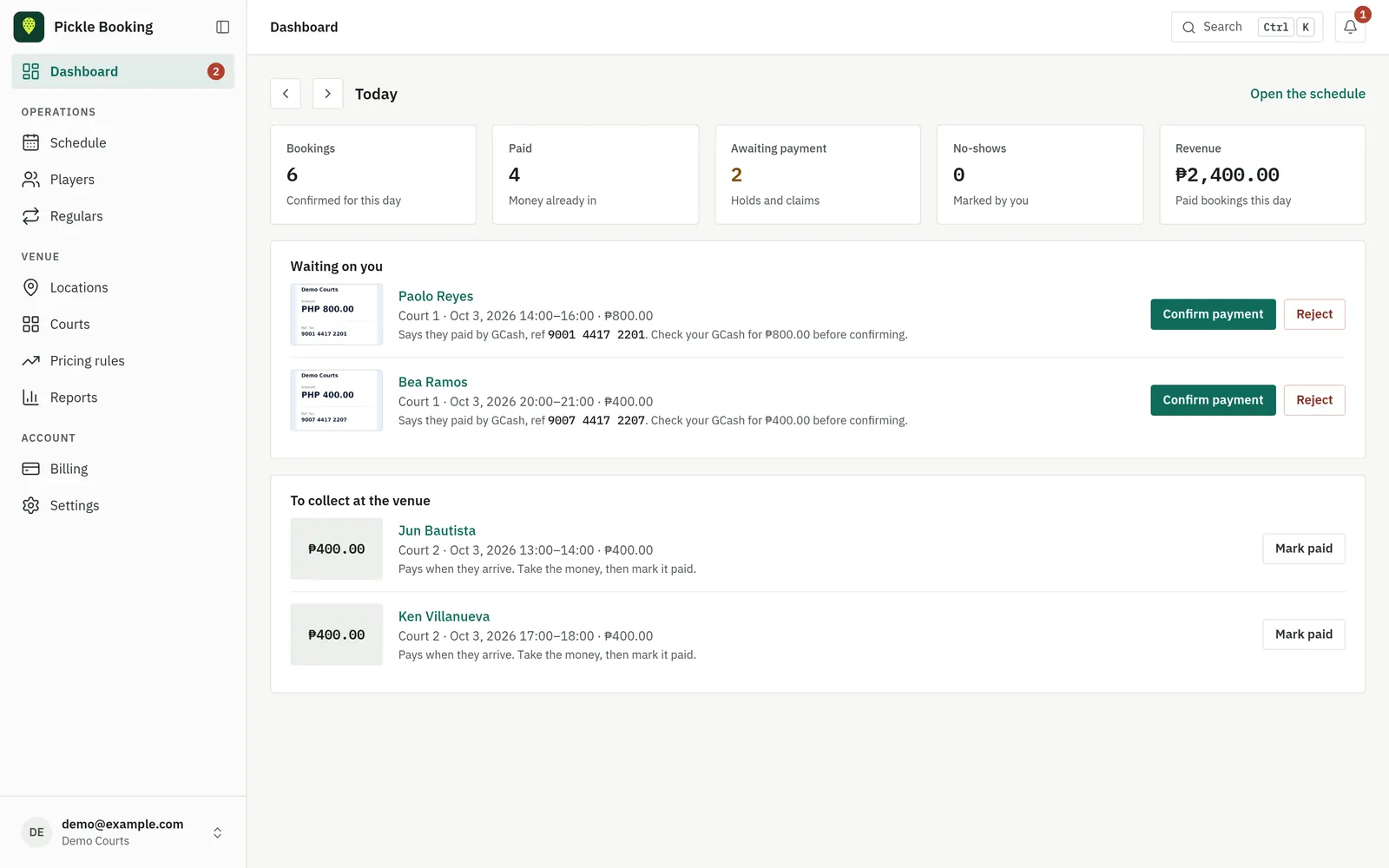
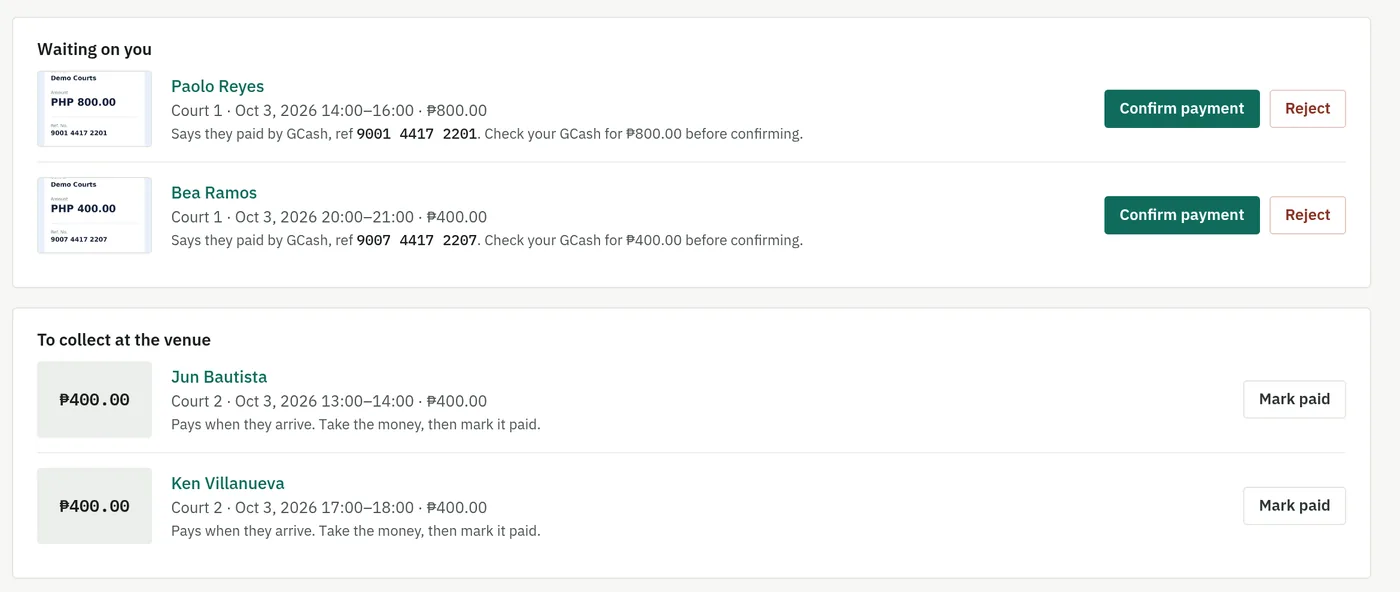
You always know which payment to check.
A player pays your QR and sends the reference. It lands in “Waiting on you” with the amount to look for. Check your GCash, tap Confirm, and the player is emailed.
- Unpaid holds give the hour back after 10 minutes
- Walk-ins and phone bookings listed under “To collect”
- Refunds owed after a cancellation stay on your list until sent
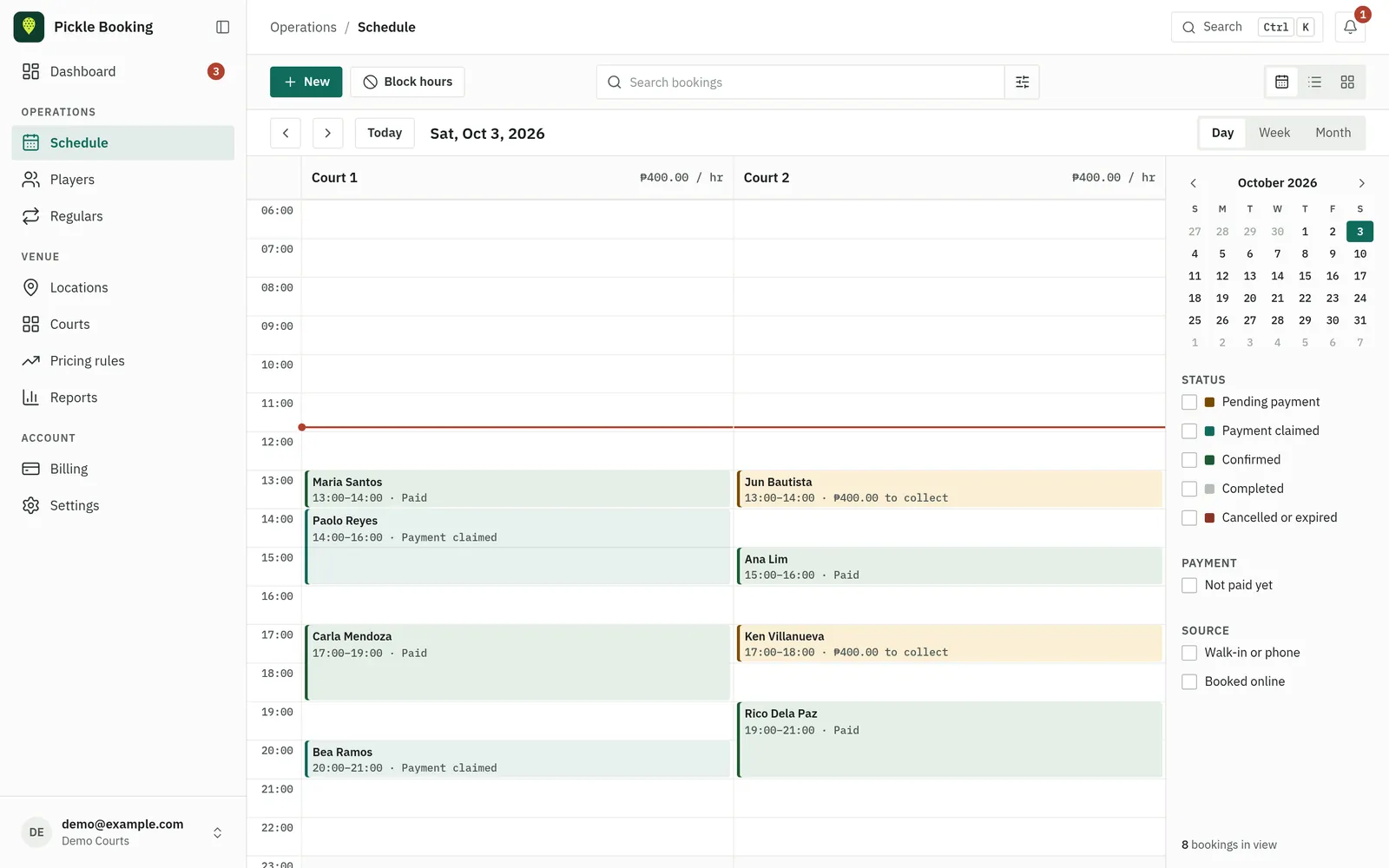
Every court, every hour, who's paid.
Online, walk-in and phone bookings in one calendar, coloured by what they need. Add a walk-in in seconds, block hours for maintenance, switch to week or month.
Run it from the court, not a desk.
Add it to your home screen and it opens like an app. Take a walk-in, mark it paid, confirm a GCash payment, all from the phone in your pocket.
- An email for every new booking and every payment to check
- Reminders if a payment waits too long
- Works on any phone, nothing to download from an app store
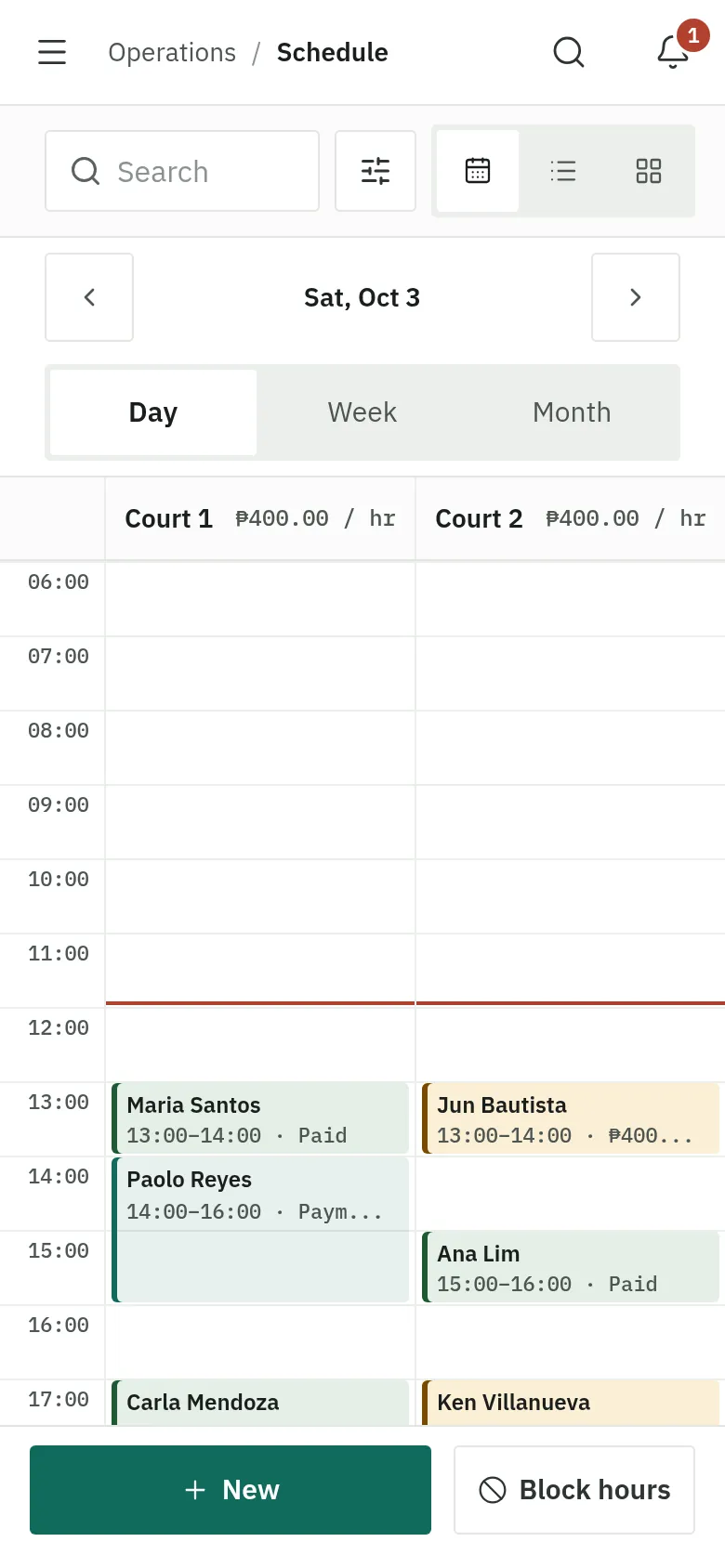
New players, not only your regulars.
Your venue is listed in the Pickle Booking directory. Players search by city and time, filter by indoor, parking or lights, or tap “Near me”, and see your open hours today.
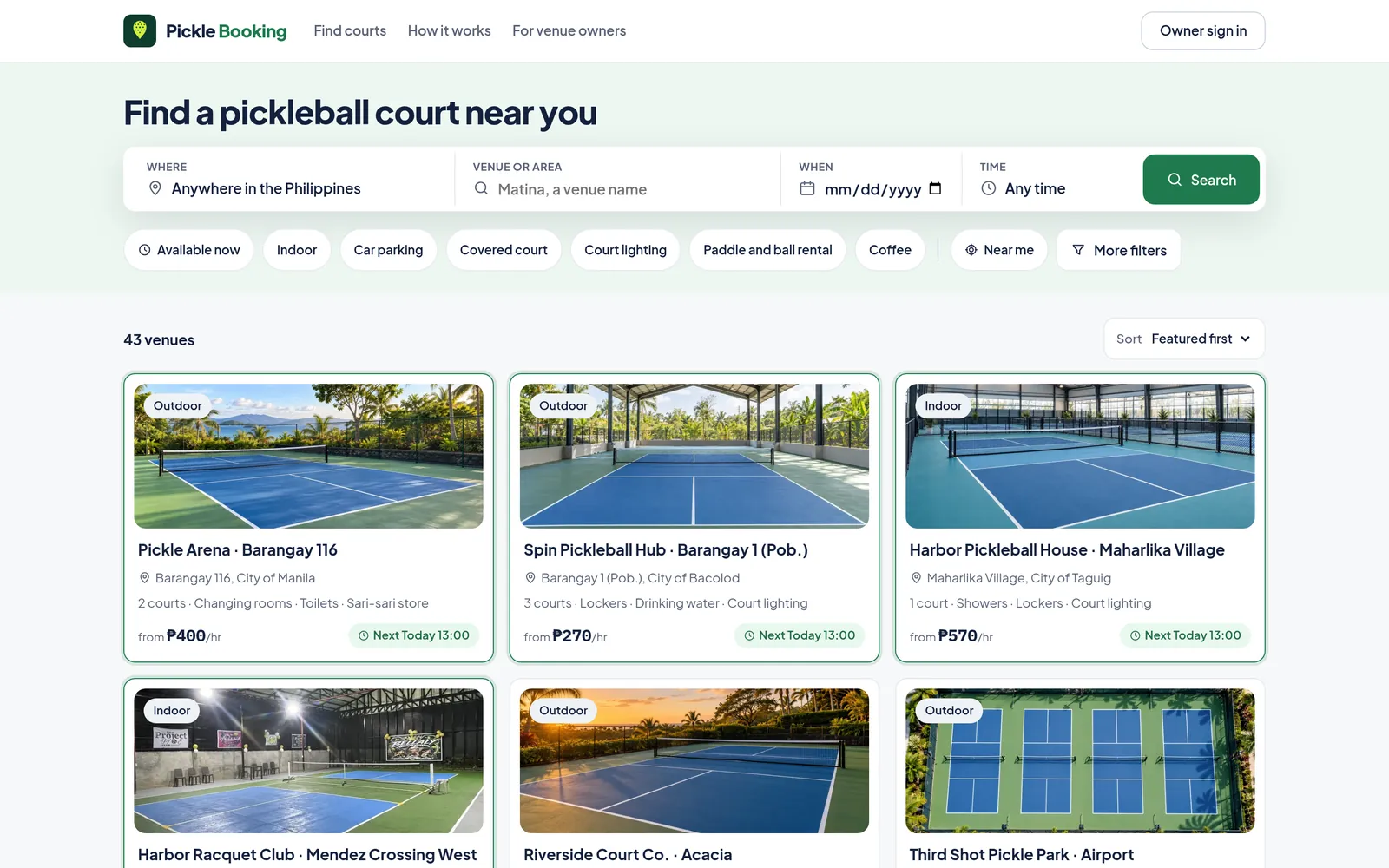
For busier venues: earn more from every hour.
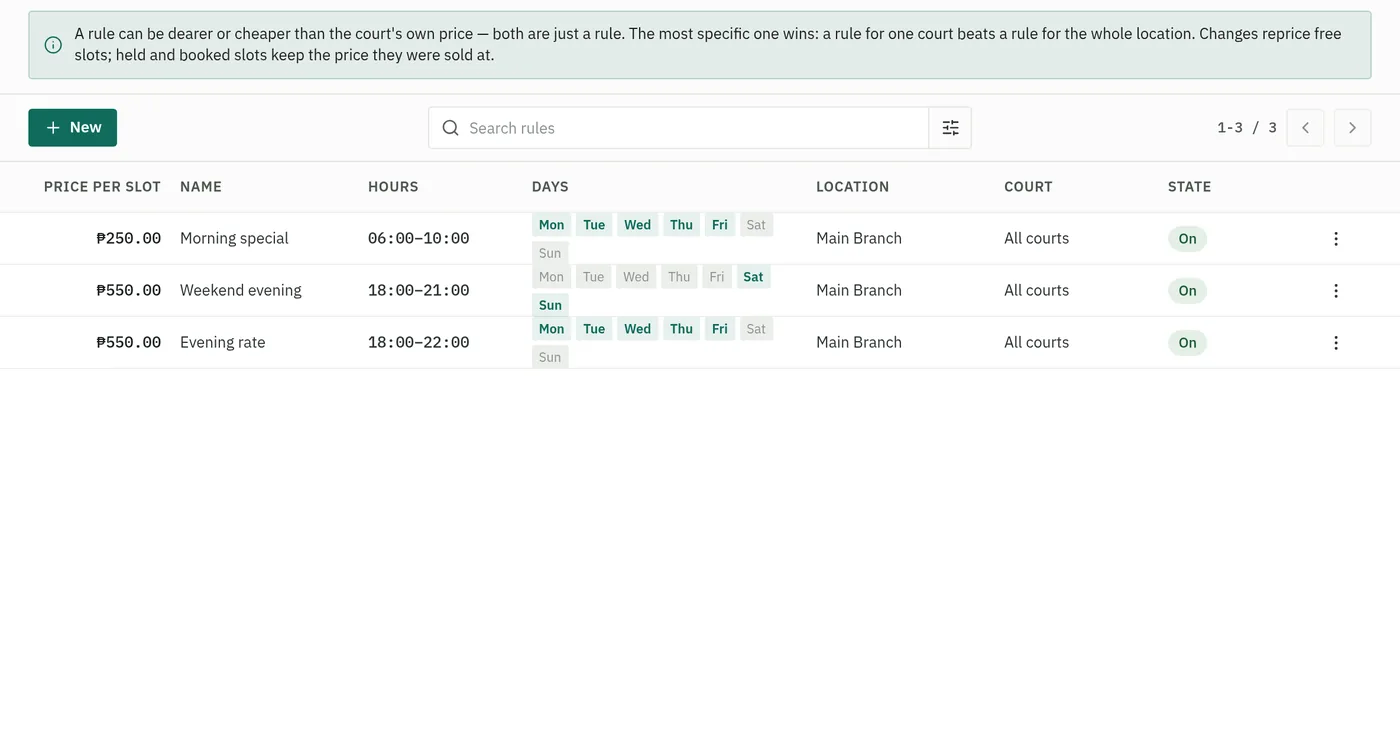
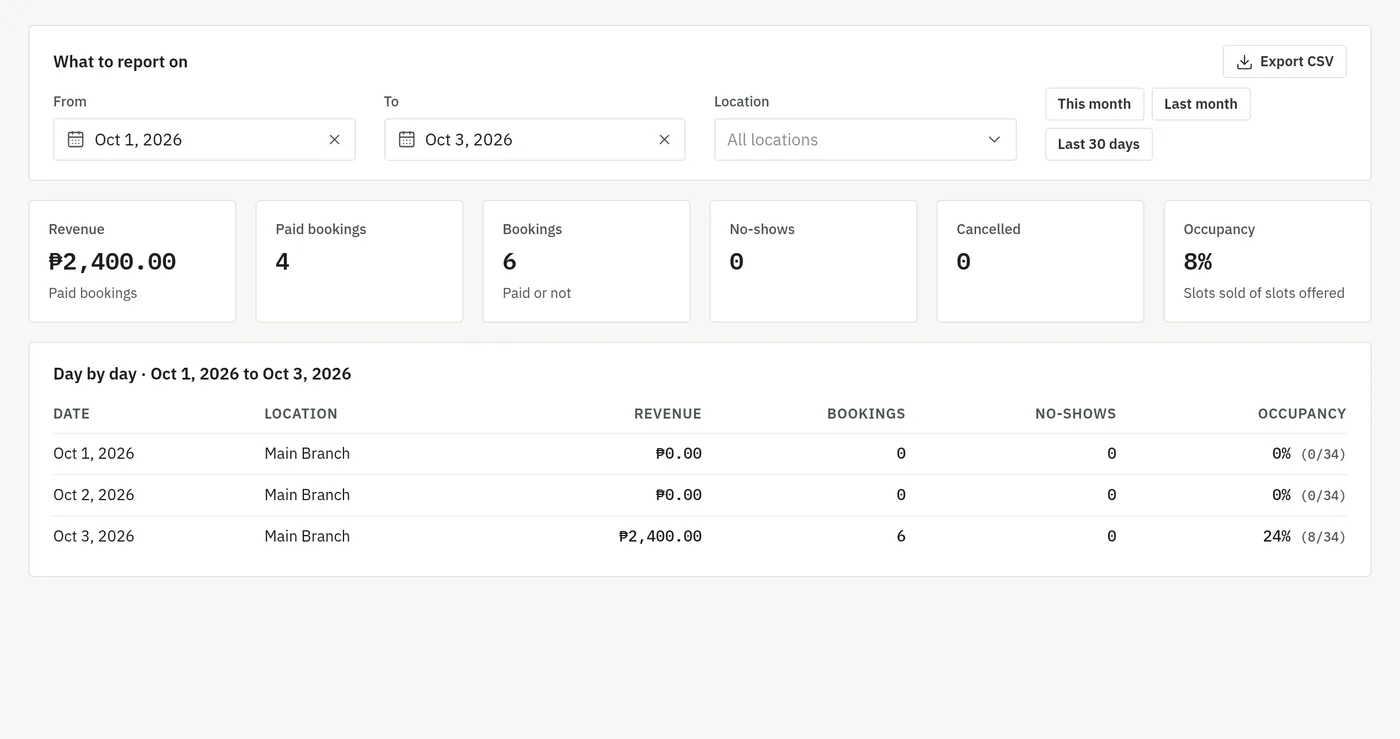
Price peak hours higher and quiet mornings lower, keep standing bookings for your regulars, and see what each day brings in.
- Regulars: the same court every week, booked for you
- Up to three locations under one account
- Unlimited courts and bookings
Plans
Free during early access · at least 30 days' notice before any fee- Your venue in the Pickle Booking directory
- A booking page with hourly slots per court
- One location, two courts, 150 bookings a month
- Your GCash QR, Messenger link and map pin
- Up to 12 venue photos, plus six per court
- An email for every new booking
- Everything in Basic
- Up to three locations, unlimited courts and bookings
- Peak and off-peak rates
- Recurring bookings for your regulars
- Revenue and occupancy reports
Compare plans
How early access works
Sign up
Your details, one venue, and a valid ID with a selfie holding it.
We verify you
A person on our team checks your ID, usually within two business days.
Take bookings, free
The day you're approved. Set up your page and publish it. Switch between Basic and Pro any time.
Notice before any fee
When early access ends we email you at least 30 days before your first payment is due.
Questions owners ask
Do I need to pay to start?
No. Every plan is free during early access, and nothing is due until we tell you, at least 30 days ahead.
What happens when early access ends?
We email you the date your first payment is due, at least 30 days ahead, at the prices on this page. You pay online from your Billing page by GCash, Maya, card or online banking, or you stop: your page is hidden, not deleted.
Why do you ask for an ID and a selfie?
Players pay venues directly, so we make sure there is a real person behind every listing. Our team looks at the ID once, and it is deleted 30 days after the review.
Do players pay through Pickle Booking?
No. Players pay you directly by GCash using your own QR code. We never hold the money and take no cut of a booking.
What if I stop paying?
Three days after your period ends, your page stops taking bookings and leaves the directory. Pay and it is back the same day; nothing you set up is lost.
Can I list more than one venue?
One venue per account. On Pro a venue can have up to three locations, each with its own courts, photos and hours.